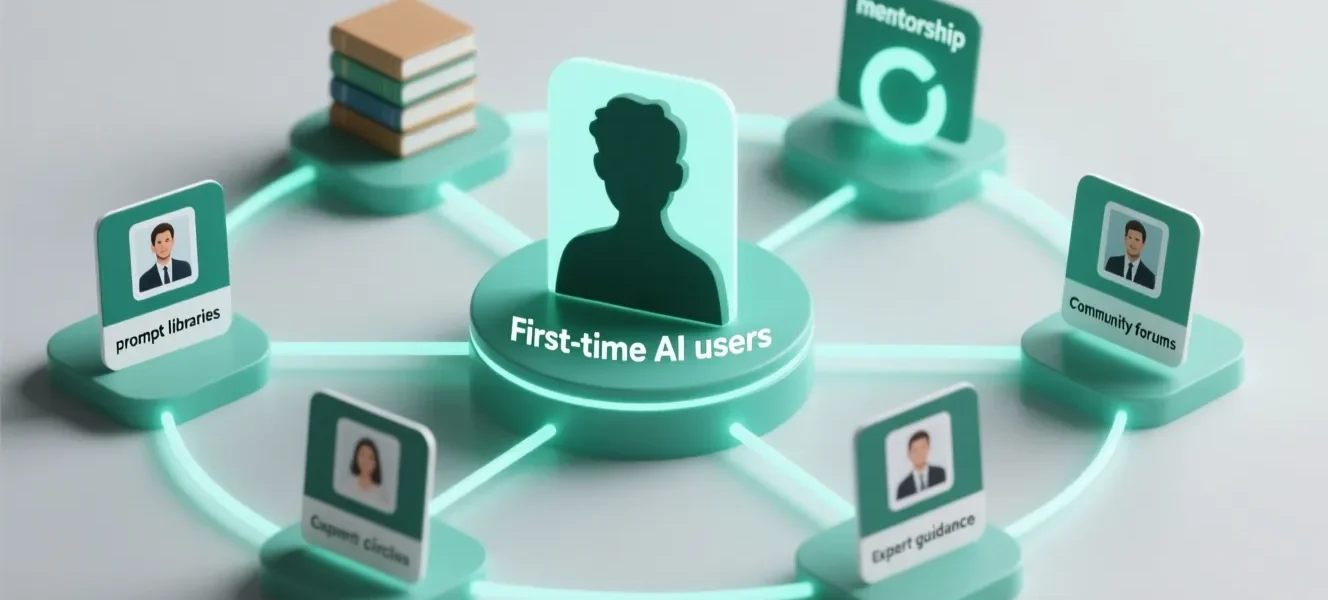

Onboarding first-time AI users is one of the most consequential challenges organizations face when deploying AI assistants: while many workers see the potential productivity gains, up to two-thirds report feeling overwhelmed or uncertain about where to start. A structured approach that combines microlearning, contextual in-app guidance, interactive simulations, and ongoing support can close the gap between AI capability and user confidence, enabling first-time users to complete real work tasks reliably and efficiently.
Introduction
Organizations across the United States are accelerating AI assistant deployments to streamline workflow, automate routine tasks, and augment employee capabilities. However, the gap between tool capability and human confidence remains a critical barrier: many first-time AI users recognize the value of AI but struggle to translate that potential into completed work. This article presents a four-pillar onboarding framework—Microlearning Modules, Contextual Guidance, Interactive Tutorials, and Support Systems—to help novice users move from hesitation to competence and enable teams to realize measurable productivity gains. Relevant industry discussions and resources include Google Trends and reports from leading consultancies on workplace AI adoption; for practical learning design, see microlearning literature (e.g., Coursera and eLearning Industry) and product-design guidance on in-app help systems.
1. Microlearning Modules: Building Foundational AI Literacy
Definition and purpose: Microlearning delivers focused, bite-sized lessons (two to eight minutes each) that teach discrete concepts or skills. For first-time AI users, microlearning modules should break down the AI assistant’s core functions—what it can do, what it cannot, and how it integrates with existing workflows—into short, task-oriented units that learners can complete between meetings.
Core function breakdown: Start with clear, task-aligned modules that define the assistant’s capabilities (e.g., drafting emails, summarizing documents, generating first-pass analyses) and its limitations (data privacy boundaries, hallucination risks, and the need for human oversight). Use straightforward examples that align to common job responsibilities.
Implementation guidance: Structure a microlearning library around common user goals rather than abstract features. Each module should include (a) an explicit learning objective (what the user will be able to do), (b) a concise demonstration with a real-world example, and (c) a short practice task or template users can apply immediately. Metrics to track effectiveness include module completion rate, time on task, and immediate post-module task success (for example: the percentage of users who successfully generate an acceptable email draft after completing the ‘Email Drafting with AI’ module).
Evidence and examples: Research on microlearning shows reduced cognitive load and improved retention for discrete skills; practitioners report faster adoption when content is closely mapped to job tasks. For instance, sales teams that adopt short, role-specific templates and mini-lessons often demonstrate faster response times and more consistent messaging when using AI tools for outreach. To scale, establish a taxonomy of use cases by role (e.g., sales, marketing, finance, HR) and prioritize the top five templates per role that deliver immediate value.
2. Contextual Guidance: Just-in-Time Learning Interventions
Definition and purpose: Contextual guidance provides just-in-time instructions and tooltips inside the application interface so users receive help precisely when and where they need it. This reduces the friction of switching between a training environment and the live workspace, which is especially valuable for first-time AI users attempting to complete tasks under time pressure.
Smart tooltips and guided workflows: Implement smart tooltips, progressive disclosure of features, and guided workflows that lead users through multi-step tasks. Example implementations include step-by-step wizards for multi-part tasks (e.g., generating a client-facing report) and inline suggestions that surface best-practice prompts or explain output confidence. Data from support teams typically shows reduced ticket volume and faster resolution times when contextual guidance is available in-app.
Context-aware help systems: Advanced systems use context signals—document type, user role, recent actions—to anticipate needs and offer relevant help. For example, when a user uploads a financial spreadsheet, the assistant can surface a tooltip: “Need a summary or a variance analysis? Try this template.” Context-aware prompts increase perceived usefulness and confidence; pilot programs commonly report higher first-task completion rates and improved user confidence scores when guidance is timely and concise.
Design principles and governance: Keep in-app tips concise, role-appropriate, and easily dismissible. Track behavior to refine interventions: which tips are accepted, which are dismissed, and which lead to successful task completion. Ensure privacy-preserving telemetry and transparent controls so users understand what usage signals are being used to personalize guidance.
3. Interactive Tutorials: Progressive Learning Through Real-World Simulations
Definition and purpose: Interactive tutorials provide hands-on practice in a safe, sandboxed environment where difficulty scales from simple to complex. They allow first-time users to build confidence through repetition and scaffolded challenges that mirror their real work tasks.
Progressive difficulty scaling: Design tutorials that start with single-step tasks—such as asking the assistant to draft a short, professional email—and progress to multi-stage workflows—like compiling a weekly performance report from multiple data sources. Each stage should reinforce prior skills while introducing new concepts such as prompt refinement, output validation, and integrating AI outputs into final deliverables.
Real-world task simulations: Use real-world templates and anonymized datasets for simulations so users practice with realistic inputs and outputs. Include instant feedback mechanisms: show where a prompt produced weak results and suggest iterative changes. Simulation metrics should measure not only completion but also quality—how often users accept AI output with minimal edits versus those requiring substantial revision.
Outcomes and evidence: Interactive simulations increase skill retention and reduce error rates in production environments. For example, finance teams that practiced forecast generation in a sandbox reduced rework and data-cleaning errors when moving to production. Gamification elements—achievement badges, progress bars, and milestone endorsements—motivate sustained engagement without distracting from learning objectives.
4. Support Systems: Prompt Libraries and Mentorship for Sustained Success
Definition and purpose: Ongoing support structures—including curated prompt libraries, mentorship programs, and community forums—help first-time users move beyond initial learning to long-term mastery. These systems ensure the organization maintains momentum after initial onboarding waves.
Prompt template libraries: Provide role- and task-specific prompt templates that users can copy, adapt, and reuse. Templates reduce the cognitive overhead of crafting prompts from scratch and provide built-in guardrails for expected output style and tone. Measure time savings with templates by tracking frequency of use and reductions in time-to-first-draft for common deliverables (e.g., meeting minutes, client proposals).
Mentorship programs and peer support: Pair novice users with internal champions—power users or designated mentors—who can offer contextual advice, review prompts, and demonstrate effective strategies. Mentorship increases adoption and retention: organizations with structured peer support often report higher satisfaction and faster proficiency gains than those relying on standalone learning resources.
Community and expert channels: Maintain a centralized knowledge hub with searchable examples, versioned best-practice templates, and a moderated forum for sharing prompts and use cases. Include escalation paths for complex issues that require product or security team intervention. Documentation should be concise, example-driven, and searchable to ensure quick retrieval during fast-paced work.
Putting the Framework into Practice
1) Conduct a role-based needs assessment: Identify high-impact tasks in each role that AI can augment—prioritize tasks where AI reduces time per task or improves quality. 2) Build a prioritized content roadmap: Launch an initial microlearning catalog covering the top 20 high-value tasks, then expand based on usage data and feedback. 3) Integrate contextual guidance iteratively: Start with tooltips for the top three workflows, measure effectiveness, and iterate. 4) Launch sandboxed interactive tutorials for critical workflows and accompany them with mentorship cohorts for the early adopters. 5) Maintain and curate prompt libraries continuously, and establish a feedback loop between end users and product/security teams to surface common issues and mitigate risks.
Measurement and KPIs: To track success, define quantitative and qualitative KPIs: module completion and task success rates, time-to-complete key deliverables, support ticket volume, user confidence surveys, and retention of AI use after 30/60/90 days. Combine telemetry (e.g., feature usage) with qualitative feedback (surveys and interviews) to surface friction points and iterate learning content.
Governance, Ethics, and Risk Management
No onboarding program is complete without clear governance. Define acceptable-use policies, data handling requirements, and escalation paths for questionable outputs. Train users on how to verify AI-generated content—including checking facts, ensuring client confidentiality, and recognizing bias or hallucinations. Establish version control and provenance tracking for templates and prompt libraries so teams can audit changes and trace the origin of automated outputs when required.
Case Studies and Illustrative Examples
Example 1 — Sales team adoption: A mid-sized sales organization launched a microlearning series focused on AI-assisted outreach. By pairing the modules with a prompt library for email templates and in-app guidance during prospecting, the team reduced routine outreach time by 30% and achieved more consistent messaging across reps.
Example 2 — Marketing content creation: A marketing department implemented contextual guidance in their AI assistant to help writers select tone and length based on campaign goals. Interactive tutorials trained junior writers to refine prompts for brand voice, and mentorship sessions helped scale best practices. The result was faster draft turnaround and improved alignment with brand guidelines.
Example 3 — Financial analysis: A finance group used sandboxed simulations with real but anonymized spreadsheets to teach analysts how to ask an AI assistant for variance analyses and scenario modeling. After completing the tutorials, analysts produced cleaner first-pass models and reduced rework in production by measurable amounts.
Future Outlook: Personalization and Predictive Support
As adoption matures, onboarding will shift from one-size-fits-all libraries to personalized, adaptive paths that respond to user performance and role complexity. Predictive support—using signals to anticipate when a user is likely to need escalation or a refresher—will further reduce time-to-proficiency. Investments in content personalization and longitudinal learning analytics will increase long-term ROI by ensuring training resources are targeted and evidence-driven.
Conclusion
First-time AI users can successfully complete work tasks when organizations combine targeted microlearning, in-app contextual guidance, progressive interactive tutorials, and robust support systems. This four-pillar approach addresses both the cognitive and practical barriers that prevent novices from completing real work with AI assistants. With clear governance, role-aligned content, and measurable KPIs, organizations can convert initial anxiety into sustainable competence—delivering the productivity, consistency, and quality gains that motivated AI adoption in the first place. For teams deploying AI assistants, the priority should be designing learning experiences that are short, contextual, practice-driven, and supported by a living ecosystem of templates and mentors. The result is not just faster onboarding but measurable improvement in how work gets done with AI.